> ## Documentation Index
> Fetch the complete documentation index at: https://wiki.another-horizon.eu/llms.txt
> Use this file to discover all available pages before exploring further.

# 更新日志

> 为订阅者创建支持 RSS 订阅源的产品更新日志。

在页面中添加 [Update 组件](/zh/components/update)，即可为你的文档创建更新日志。

查看 [Mintlify 更新日志](/zh/changelog) 作为示例：你可以在每次更新中包含指向新功能的链接、图片、文本和演示。

<div id="setting-up-your-changelog">
  ## 设置更新日志
</div>

<Steps>
  <Step title="为更新日志创建页面">
    1. 在文档中创建一个新页面，例如 `changelog.mdx` 或 `updates.mdx`。
    2. 将更新日志页面添加到 `docs.json` 的导航配置中。
  </Step>

  <Step title="在更新日志中添加 Update 组件">
    为每条更新日志记录添加一个 `Update`。

    包含相关信息，例如功能发布、错误修复或其他公告。
  </Step>
</Steps>

```mdx Example changelog.mdx theme={null}
---
title: "更新日志"
description: "产品更新和公告"
---
<Update label="2025年3月" description="v0.0.10">
  新增冬青薄荷口味。

  绿薄荷口味发布新版本，薄荷含量提升10%。
</Update>

<Update label="2025年2月" description="v0.0.09">
  绿薄荷口味发布新版本。
</Update>
```

<div id="customizing-your-changelog">
  ## 自定义更新日志
</div>

控制用户浏览更新日志的方式，并让他们及时掌握产品动态。

<div id="table-of-contents">
  ### 目录
</div>

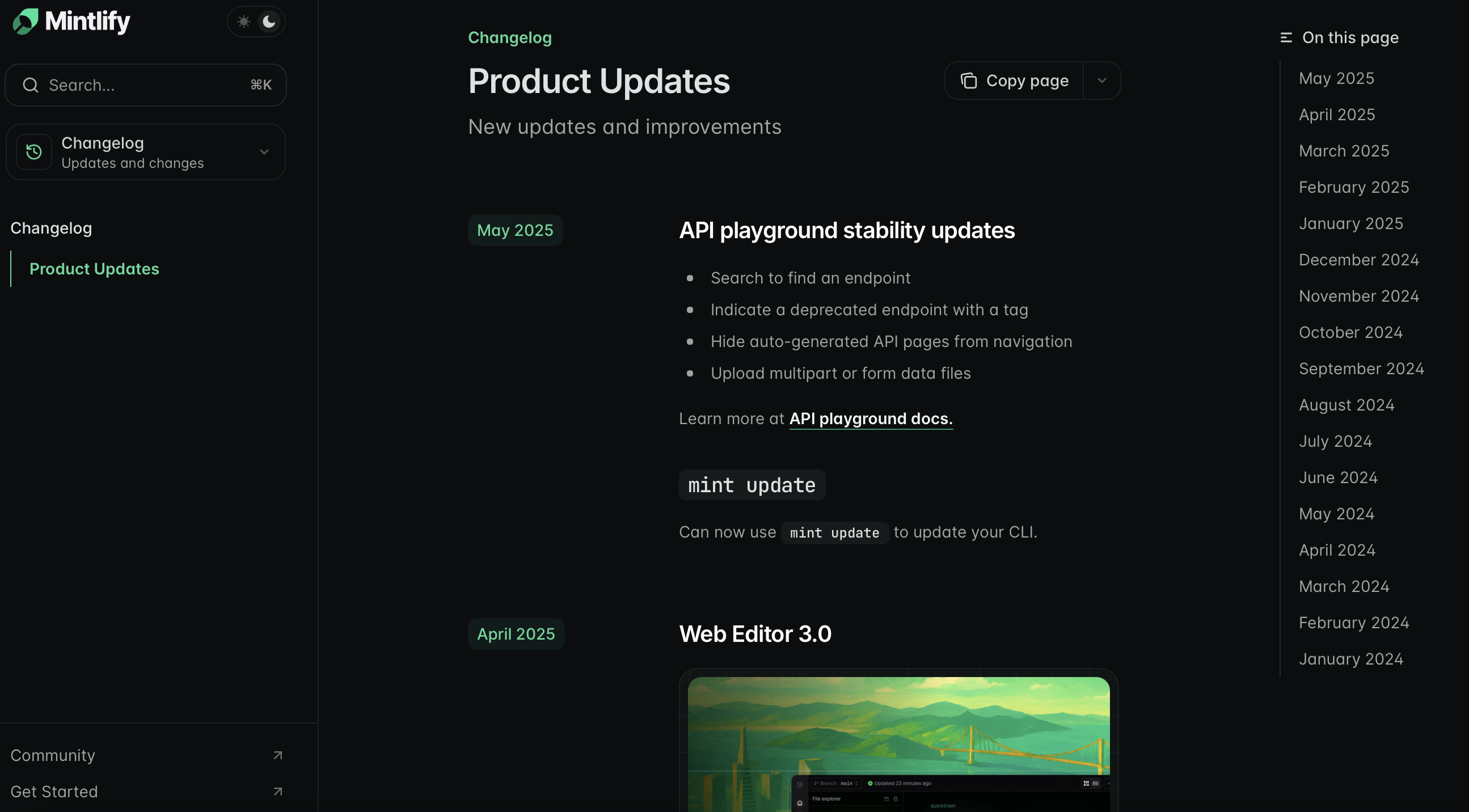
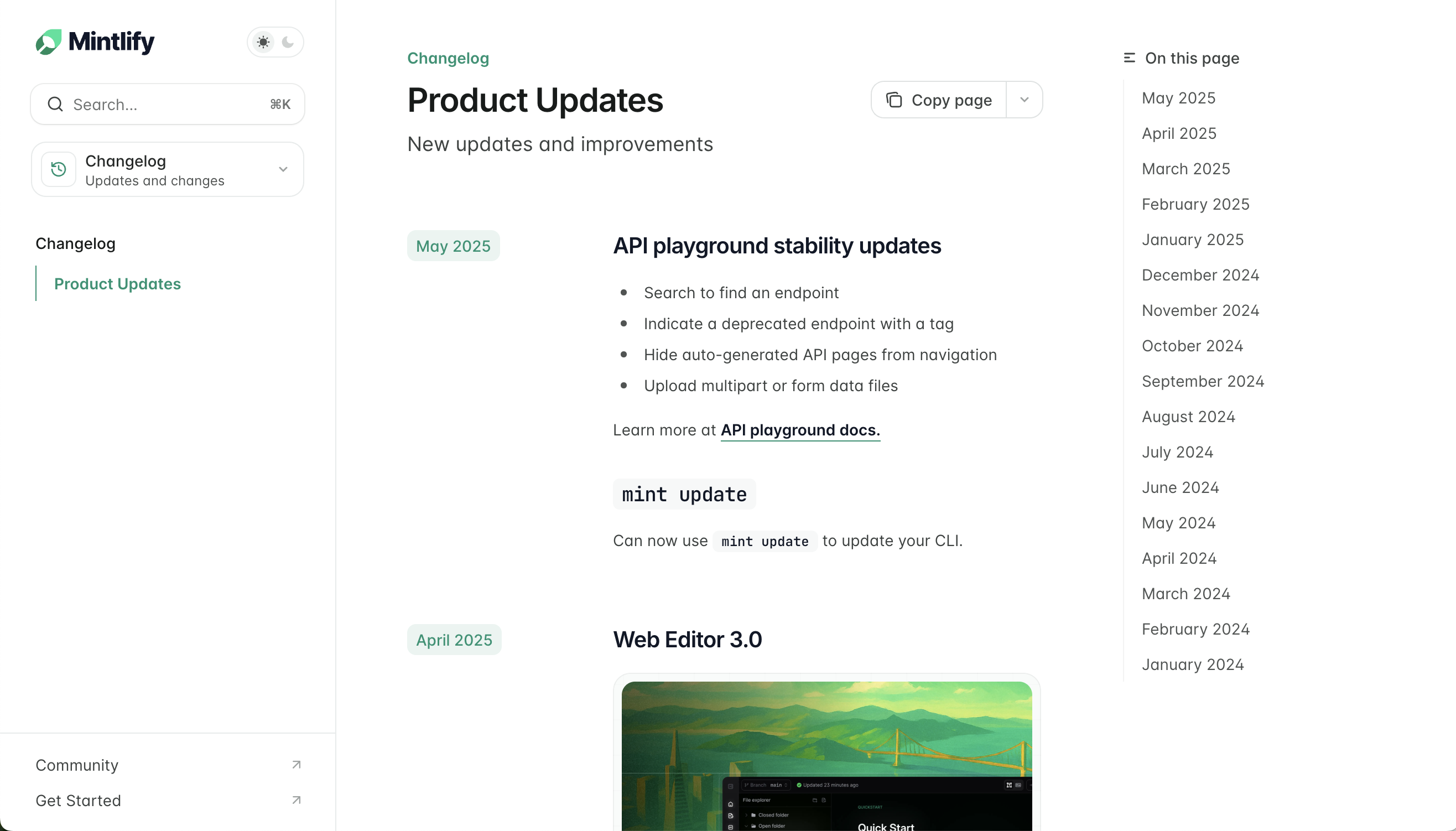
每个 `Update` 的 `label` 属性都会在右侧侧边栏的目录中自动创建一个条目。这是你的更新日志的默认导航方式。

<Frame>
  <img src="https://mintcdn.com/anotherhorizon/xUu33r2fE-ckWJ-B/images/changelog-toc-light.png?fit=max&auto=format&n=xUu33r2fE-ckWJ-B&q=85&s=32e4f4d4d28cb1c96145894f784f1ccf" alt="浅色模式下显示目录的更新日志。" className="block dark:hidden" width="2632" height="1502" data-path="images/changelog-toc-light.png" />

  <img src="https://mintcdn.com/anotherhorizon/xUu33r2fE-ckWJ-B/images/changelog-toc-dark.png?fit=max&auto=format&n=xUu33r2fE-ckWJ-B&q=85&s=91cc371a8004a309b6a62a2a4ba396ad" alt="深色模式下显示目录的更新日志。" className="hidden dark:block" width="2590" height="1432" data-path="images/changelog-toc-dark.png" />
</Frame>

<div id="tag-filters">
  ### 标签筛选
</div>

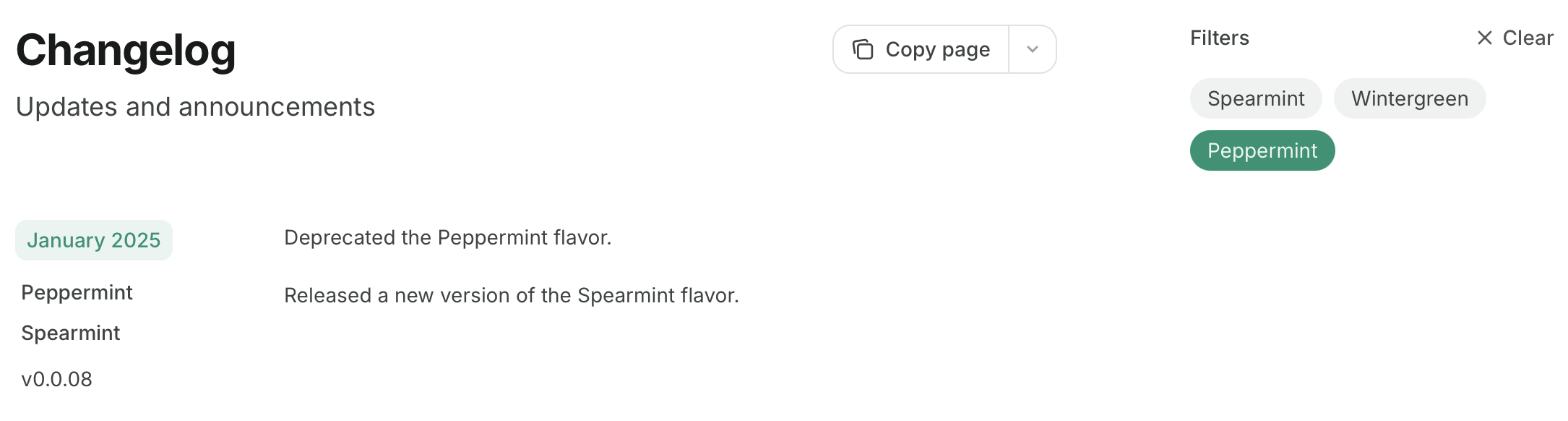
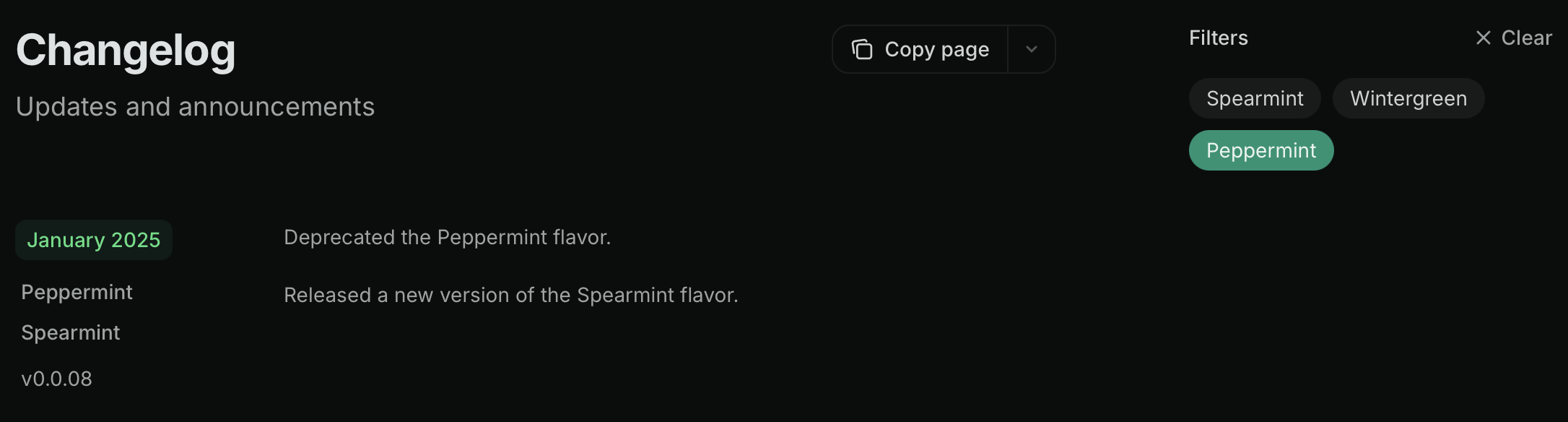
在 `Update` 组件中添加 `tags`，即可将目录替换为标签筛选器。用户可以通过选择一个或多个标签来筛选更新日志：

```mdx Tag filters example wrap theme={null}
<Update label="2025年3月" description="v0.0.10" tags={["Wintergreen", "Spearmint"]}>
  添加了新的 Wintergreen 口味。

  发布了新版本的 Spearmint 口味，现在薄荷含量增加了 10%。
</Update>

<Update label="2025年2月" description="v0.0.09" tags={["Spearmint"]}>
  发布了新版本的 Spearmint 口味。
</Update>

<Update label="2025年1月" description="v0.0.08" tags={["Peppermint", "Spearmint"]}>
  已废弃 Peppermint 口味。

  发布了新版本的 Spearmint 口味。
</Update>
```

<Frame>
  <img src="https://mintcdn.com/anotherhorizon/xUu33r2fE-ckWJ-B/images/changelog-filters-light.png?fit=max&auto=format&n=xUu33r2fE-ckWJ-B&q=85&s=d5f59a40a8d23c7c771eb52d46dc3cbc" alt="浅色模式下的更新日志，已选中 Peppermint 标签筛选器。" className="block dark:hidden" width="2170" height="582" data-path="images/changelog-filters-light.png" />

  <img src="https://mintcdn.com/anotherhorizon/xUu33r2fE-ckWJ-B/images/changelog-filters-dark.png?fit=max&auto=format&n=xUu33r2fE-ckWJ-B&q=85&s=d82ee38cfe9876e64b5880f2a460f289" alt="深色模式下的更新日志，已选中 Peppermint 标签筛选器。" className="hidden dark:block" width="2172" height="584" data-path="images/changelog-filters-dark.png" />
</Frame>

<Tip>
  在使用 `custom`、`center` 或 `wide` 页面模式时，目录和更新日志筛选器会被隐藏。了解更多[页面模式](/zh/organize/pages#page-mode)。
</Tip>

<div id="subscribable-changelogs">
  ### 可订阅的更新日志
</div>

使用 `Update` 组件会在你的页面 URL 后追加 `/rss.xml`，从而创建一个可订阅的 RSS 源。例如：`mintlify.com/docs/changelog/rss.xml`。

当你添加新的 `Update` 组件，以及修改现有 `Update` 组件中的标题时，RSS 源会发布新的条目。

RSS 源条目只包含纯 Markdown。组件、代码和 HTML 元素将被排除在外。当你的更新中包含会被排除的内容时，可以使用 `rss` 属性为 RSS 订阅者提供替代的文本说明。

```xml Example RSS feed theme={null}
<?xml version="1.0" encoding="UTF-8"?>
<rss xmlns:dc="http://purl.org/dc/elements/1.1/" xmlns:content="http://purl.org/rss/1.0/modules/content/" xmlns:atom="http://www.w3.org/2005/Atom" version="2.0">
  <channel>
    <title><![CDATA[产品更新]]></title>
    <description><![CDATA[新功能更新与改进]]></description>
    <link>https://mintlify.com/docs</link>
    <generator>RSS for Node</generator>
    <lastBuildDate>Mon, 21 Jul 2025 21:21:47 GMT</lastBuildDate>
    <atom:link href="https://mintlify.com/docs/changelog/rss.xml" rel="self" type="application/rss+xml"/>
    <copyright><![CDATA[Mintlify]]></copyright>
    <docs>https://mintlify.com/docs</docs>
    <item>
      <title><![CDATA[2025年6月]]></title>
      <link>https://mintlify.com/docs/changelog#june-2025</link>
      <guid isPermaLink="true">https://mintlify.com/docs/changelog#june-2025</guid>
      <pubDate>Mon, 23 Jun 2025 16:54:22 GMT</pubDate>
    </item>
  </channel>
</rss>
```

RSS 源可与 Slack、电子邮件或其他订阅工具集成，用于通知用户产品更新。可选方案包括：

* [Slack](https://slack.com/help/articles/218688467-Add-RSS-feeds-to-Slack)
* 通过 Zapier 的 [Email](https://zapier.com/apps/email/integrations/rss/1441/send-new-rss-feed-entries-via-email)
* 如 [Readybot](https://readybot.io) 或 [RSS Feeds to Discord Bot](https://rss.app/en/bots/rssfeeds-discord-bot) 等 Discord 机器人

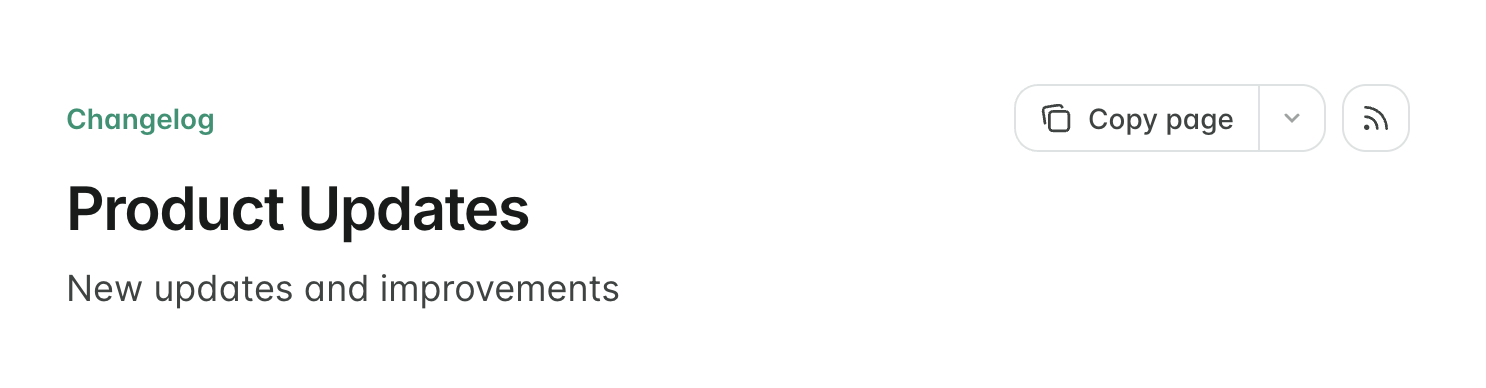
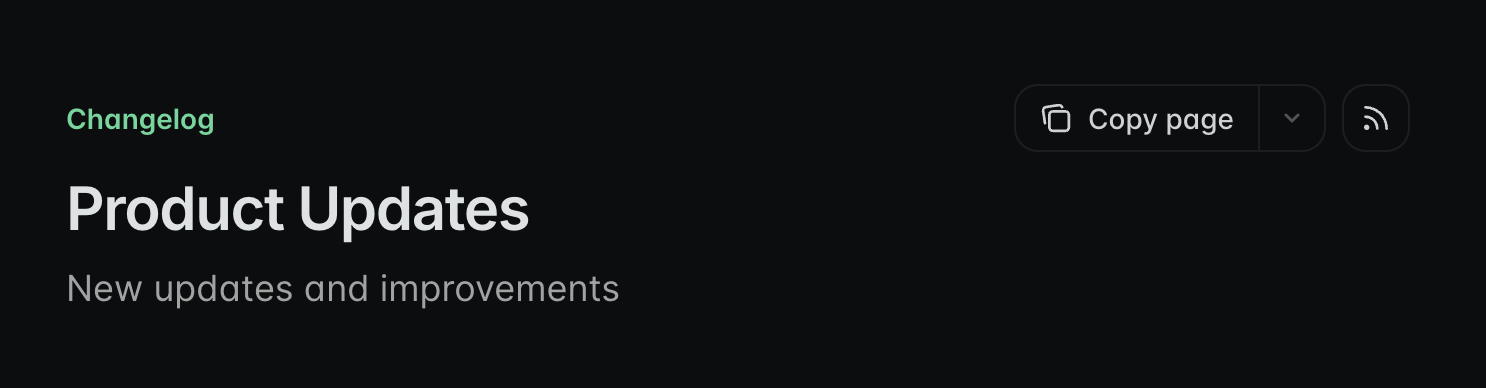
为便于发现 RSS 源，你可以在页面顶部显示一个链接到该源的 RSS icon 按钮。在页面 frontmatter 中添加 `rss: true`：

```mdx theme={null}
---
rss: true
---
```
<Frame>
  <img src="https://mintcdn.com/anotherhorizon/xUu33r2fE-ckWJ-B/images/changelog-rss-button-light.png?fit=max&auto=format&n=xUu33r2fE-ckWJ-B&q=85&s=9e2bb2fa6f28b6547c5e4679959b0354" alt="浅色模式下启用 RSS 订阅按钮的更新日志页面。" className="block dark:hidden" width="1486" height="388" data-path="images/changelog-rss-button-light.png" />

  <img src="https://mintcdn.com/anotherhorizon/xUu33r2fE-ckWJ-B/images/changelog-rss-button-dark.png?fit=max&auto=format&n=xUu33r2fE-ckWJ-B&q=85&s=2512127c1730d1e437552ad29923cb4c" alt="深色模式下启用 RSS 订阅按钮的更新日志页面。" className="hidden dark:block" width="1486" height="388" data-path="images/changelog-rss-button-dark.png" />
</Frame>